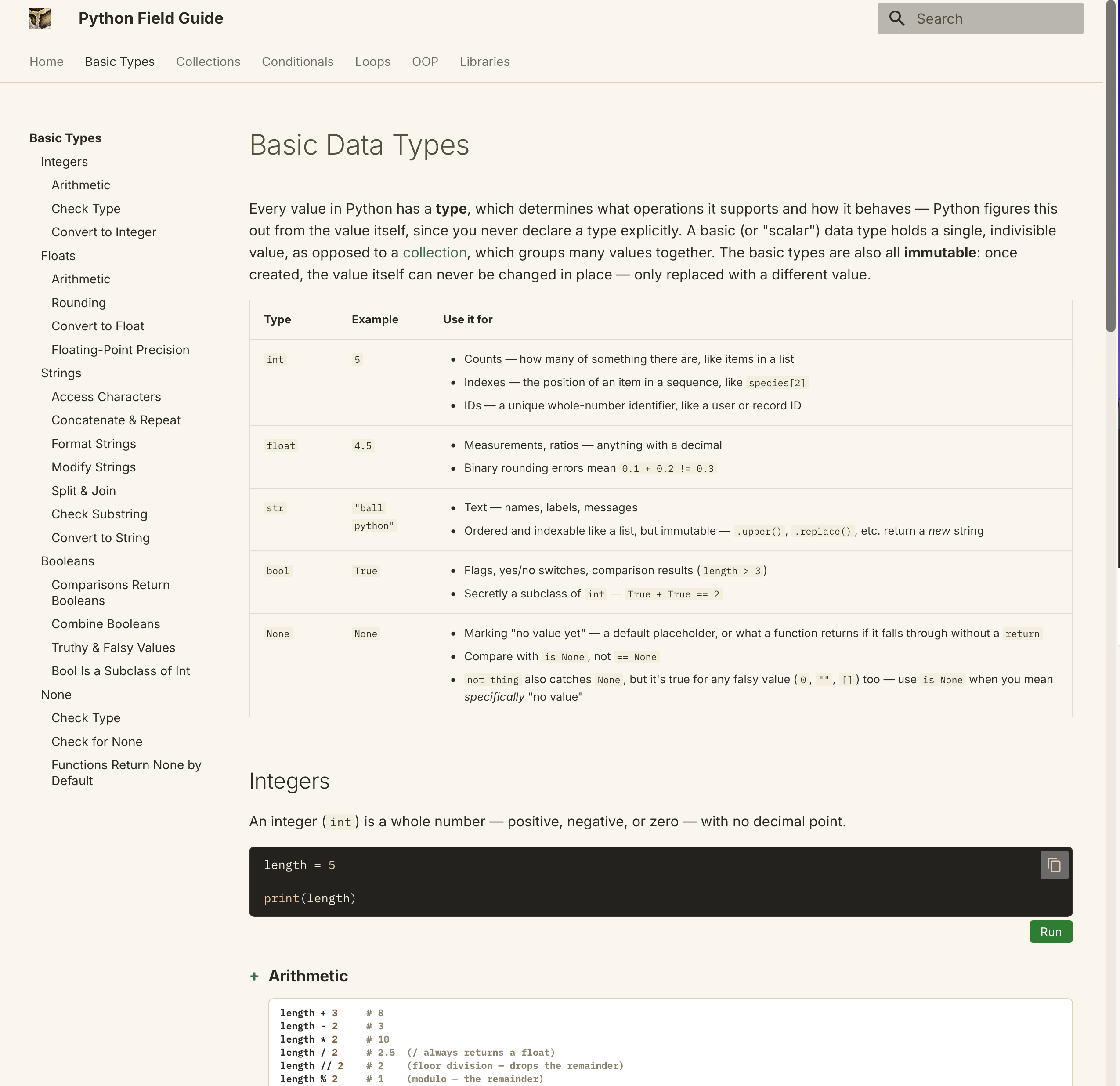
Python Field Guide .com
It started as a few quick-reference explanations on loops and lists for high-school students working on their first independent Python projects. Most resources they found were written for people who already program: accurate, but buried in jargon and edge cases. The site is my own mental model of how Python works, written for someone meeting it for the first time. It's not a complete language reference, and it's still a work in progress.
Design decisions
- Beginners and experienced readers need different amounts. An Essentials/Advanced switch hides everything beyond a first-pass curriculum without a second, simplified copy of the content to keep in sync.
- Returning readers want a lookup, not a lesson. The homepage is a quick-reference cheatsheet linking straight to every keyword the site teaches, generated from the pages themselves.
- Usage data decides what to expand. Analytics showed the library pages drawing more traffic than the rest of the site, so those were built out next.
Content
Core Python, from workspace setup and variables through data types, control flow, functions, classes, files, style, and errors, plus add-on libraries for data analysis (pandas, NumPy, matplotlib), APIs (requests, json), images and computer vision (Pillow, OpenCV), desktop apps (Tkinter), games (turtle), and testing (pytest).
Writing this much content meant I needed a structure guide to keep it consistent as it grew: a fixed shape for every page, text-style rules, and a decision rule for where each kind of information belongs (heading, collapsible note, glossary entry, or footnote). A test enforces the parts of that guide a script can check.
Engineering
- Built with MkDocs and Material for MkDocs. Everything MkDocs can't produce at build time is finished in the browser: Pyodide for running code, CodeJar and highlight.js for the editor, Mermaid for diagrams.
- Tested with pytest and Playwright: runnable examples still execute, both color schemes meet WCAG AA contrast, keyboard navigation works end to end, axe-core finds no accessibility violations across phone, tablet and desktop widths, and codespell checks the prose.
- Deployed through GitHub Actions: a pull request runs the full test suite, and merging builds the site and publishes it to GitHub Pages on its own domain.
Open source plugins
Three features started as this site's own JavaScript and CSS, and I extracted them into published MkDocs plugins that any documentation site can install: the two-row navigation header, the Essentials/Advanced switch, and the homepage cheatsheet. Why they're useful beyond this site, and what extracting them did for it, is on Open Source MkDocs Plugins.
Next Project