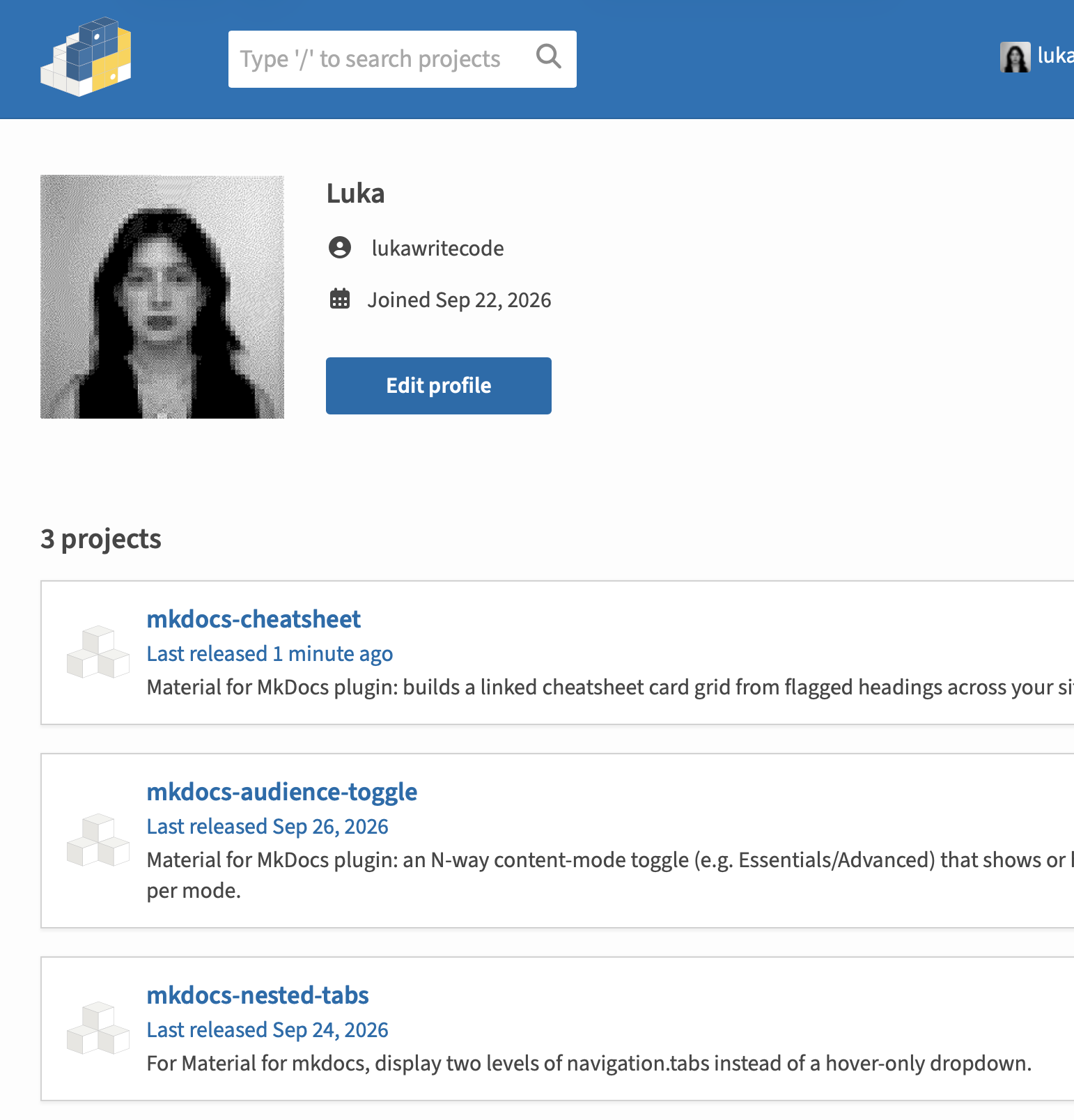
Open Source MkDocs Plugins
Front-end web work packaged for other sites to install: framework-free JavaScript that builds and updates the page in the browser, CSS themed entirely through custom properties, and generated HTML, all tested in real browsers for behavior and accessibility. Each is a small, documented, versioned package published to PyPI under lukawritecode.
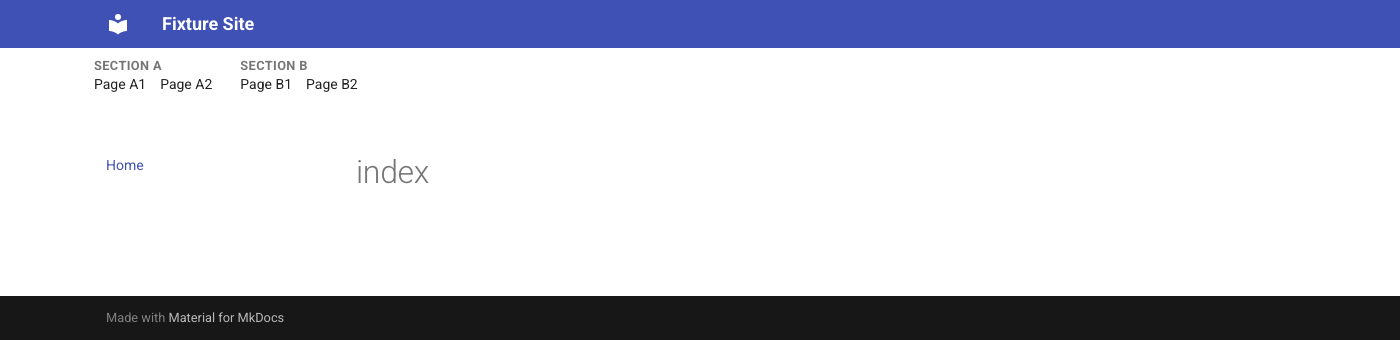
- mkdocs-nested-tabs — JavaScript reads the site's navigation from the page and builds a second header row showing every section's pages at once.
- mkdocs-audience-toggle — JavaScript header control that shows or hides marked sections per reader mode, remembers the choice across pages, and switches modes when a link points at hidden content; keyboard and screen-reader accessible.
- mkdocs-cheatsheet — generates a linked card grid from headings flagged across the site at build time, with a JavaScript header button and every color and size exposed as a CSS variable.
- mkdocs-light-dark-toggle — JavaScript header control that replaces the theme's single-knob light/dark switch with two always-visible buttons, driving the theme's own scheme-persistence underneath; ships with built-in icons so it needs no configuration.
What MkDocs is
MkDocs is a Python static-site generator: it turns a folder of Markdown files into a documentation website. Material for MkDocs is a widely used theme for it that adds search, navigation tabs, dark mode, callout boxes and more on top. Open source projects, companies and courses use the pair for their docs because writers only touch Markdown, and the site builds to plain HTML that can be hosted anywhere.
Plugins extend the build: a plugin can rewrite pages, add generated content, or ship its own CSS and JavaScript. Anyone can install one with pip and turn it on with a line in mkdocs.yml.
Why these are useful to other sites
Each plugin fills a gap I hit while building Python Field Guide that Material doesn't cover:
- Navigation that shows every section at once. Material's tabs only reveal a section's pages through a hover dropdown. Someone had asked for an expanded layout in the Material discussion forum, and the answer was horizontal scrolling.
- Pages for more than one audience. Material has no way to hide advanced material from beginners without keeping two copies of the content.
- A quick-reference page that maintains itself. Material's card grids are written by hand, so every link in a site-wide index has to be kept in sync with the headings it points to.
- A light/dark switch you can actually see. Material's own toggle is a single knob: the current scheme is the only thing visible, and the knob itself is the only clickable spot.
Before building each one, I checked PyPI for an existing plugin that did the same thing. Each plugin works with any Material palette out of the box, is configured in mkdocs.yml rather than by editing theme files, and ships with its own Playwright and axe-core accessibility tests, so another site can adopt it without auditing it first.
Why extracting them helped Python Field Guide
All four started as JavaScript and CSS written for that one site. Moving each into its own package made the site better too:
- Less site code. What's left in the site is specific to it. The cheatsheet plugin alone replaced about 1,200 lines of hand-written card grid on the homepage and libraries page with two one-line placeholders.
- Bugs surfaced. Designing for other people's sites meant the code couldn't lean on this site's quirks. Converting the homepage grid to the cheatsheet plugin exposed links that had silently pointed to the wrong section.
- Tested in isolation. Each plugin has a small test site of its own, so a change to the site can't break a plugin unnoticed, and a plugin change is tested before it reaches the site.
- Versioned and pinned. The site depends on published versions in
requirements.txt, so plugin changes arrive as deliberate upgrades. - Portable. Material for MkDocs enters maintenance mode in November 2026. Keeping each feature as a self-contained package means it can move to whatever succeeds MkDocs without untangling it from the site first.
mkdocs-light-dark-toggle
Extracted from Python Field Guide's light/dark header control — a Material for MkDocs plugin that replaces the theme's native single-knob palette switch with an always-visible two-button toggle, so a reader can see and click either option directly instead of cycling a knob.
- Native palette radios stay in the DOM, hidden; the theme's own JavaScript still applies and persists the scheme via localStorage, the plugin only drives it
- Ships with built-in sun/moon icons, so it works with zero configuration — unlike an N-way toggle such as mkdocs-audience-toggle, where mode icons have no universal meaning and must always be supplied
- Ships with keyboard and screen-reader support, and a test suite that runs Playwright + axe-core against a fixture Material for MkDocs site

mkdocs-cheatsheet
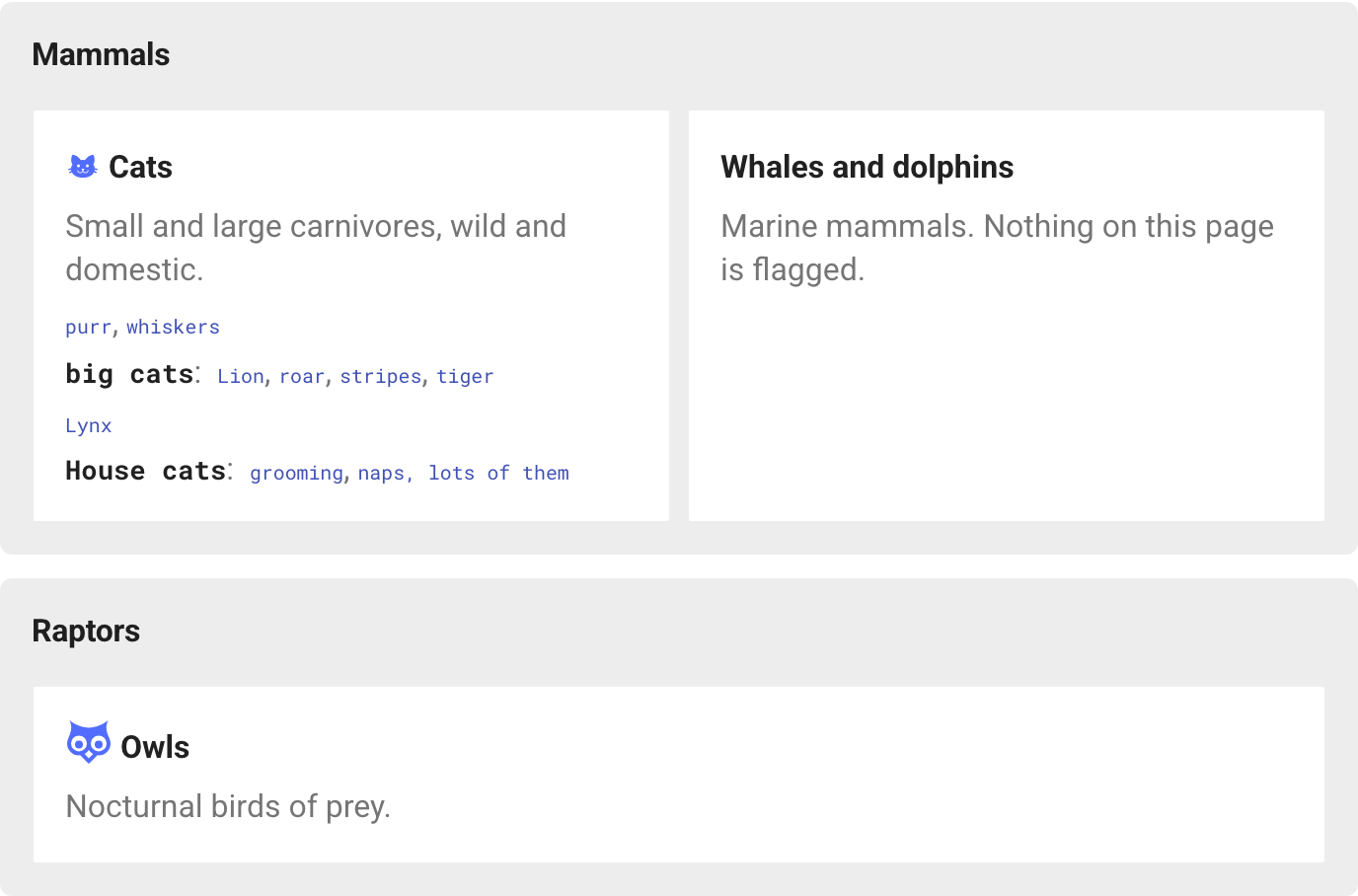
Extracted from Python Field Guide's homepage — a Material for MkDocs plugin that builds a linked quick-reference grid from headings flagged across a site. Each page becomes a card with its title, description, and a line per flagged section listing links to the headings under it.
- Authors add a short marker to a heading, like
## Lists { cs="lists, item" }; the plugin reads the built pages and generates every link, so renaming a heading can't break the index - Follows the site's navigation for grouping and order; a section with its own cheatsheet page appears as summary cards on the parent's
- Optionally replaces the header logo with a "Cheatsheet" button, and exposes every color and size as a CSS variable
mkdocs-audience-toggle
Extracted from Python Field Guide's Essentials/Advanced switch — a Material for MkDocs plugin that adds an N-way content-mode toggle to the header, showing or hiding marked sections per mode so a site can serve multiple audiences from one set of pages.
- State persists across pages via localStorage, and a link to hidden content automatically switches to the nearest mode that shows it
- Content is marked with a data-audience-hide attribute on a heading, which hides that heading's whole section along with its table of contents entry
- Ships with keyboard and screen-reader support, and a test suite that runs Playwright + axe-core against a fixture Material for MkDocs site

mkdocs-nested-tabs
Built while developing Python Field Guide — a Material for MkDocs plugin that displays two levels of navigation.tabs side by side instead of only revealing a category's children through a hover-only dropdown.
- Nothing on PyPI did this, and a Material for MkDocs discussion thread asking for exactly this had gone unanswered beyond "use horizontal scroll instead"
- Started as site-specific JavaScript, then extracted into a standalone, published plugin
- Reads a site's nav: tree directly at runtime, and falls back to Material's own theme variables so it looks reasonable on any palette out of the box